
VIPTV PLAY Code

First Step – Installing the VIPTV PLAY Code Application
click below to install VIPTV PLAY Activation Code from Google Play Store

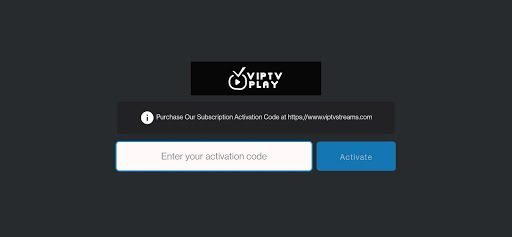
If you see any error message on screen after inserting ACTIVATION CODE and Clicking on ACTIVATE
You need to first check if you have typed the ACTIVATION CODE correctly.
if everything is correct please contact us so we can check the issue.
If no error is displayed you will see the channel opening on screen.
Click on the Middle Round Button on your DEVICE REMOTE CONTROL which corresponde to the OK or ENTER BUTTON to show up the CHANNELS LIST like on Screenshoot below.
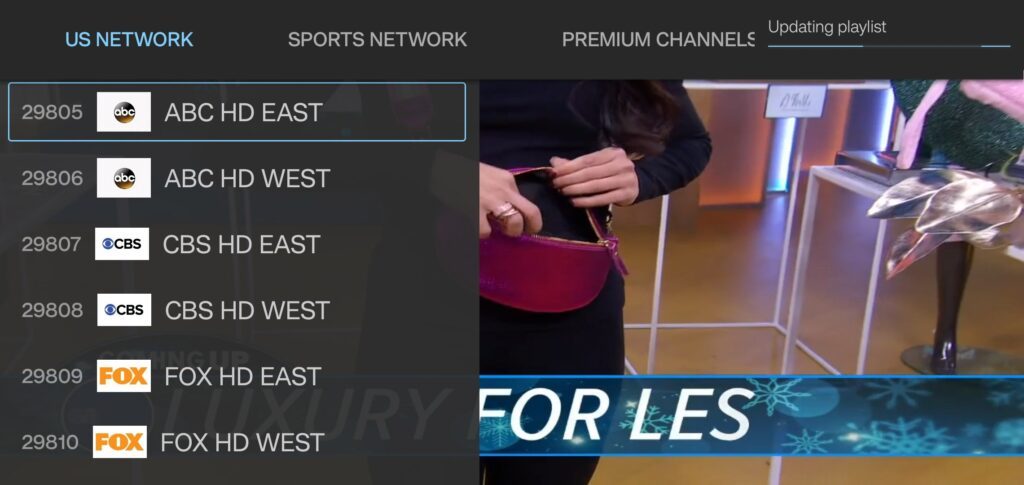
Use the RIGHT and LEFT ARROW to move to the next CHANNELS GROUP and the UP and DOWN ARROW to show more CHANNELS on the existent GROUP on screen.
VIPTV Play Activation Code on Fire TV Stick
Before you install VIPTV PLAY you need to go to your Fire TV Stick and search for Downloader App and install it

1. Go to the home screen of Fire TV / Stick if you are already not there
2. Use your remote to navigate to Find > Search on the menu bar in the middle of the screen
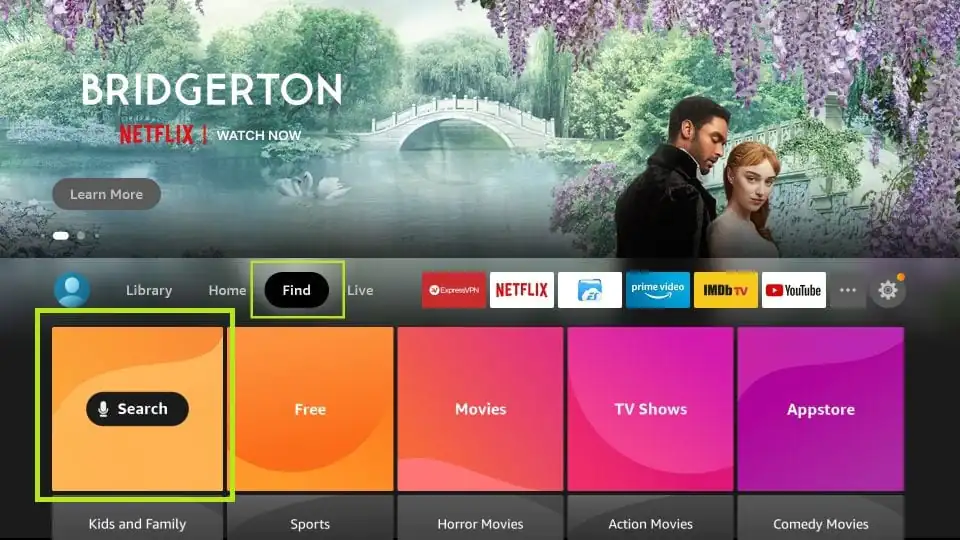
3. Now type in ‘Downloader’ (without the quotes of course) using the onscreen keypad (use the remote to navigate to the letters.
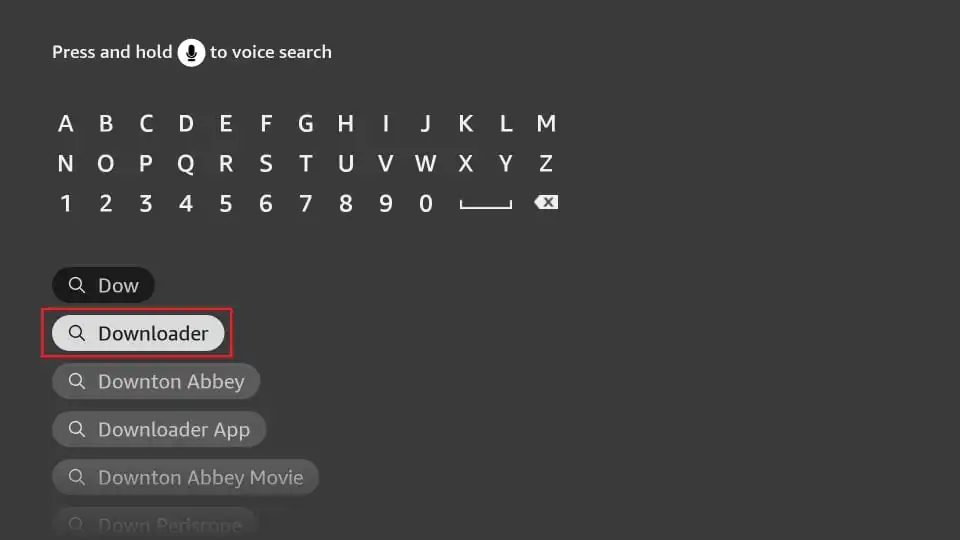
4. You should see the app suggestions on the list that show up as you begin typing. When you see ‘Downloader’ on the list, select and open it
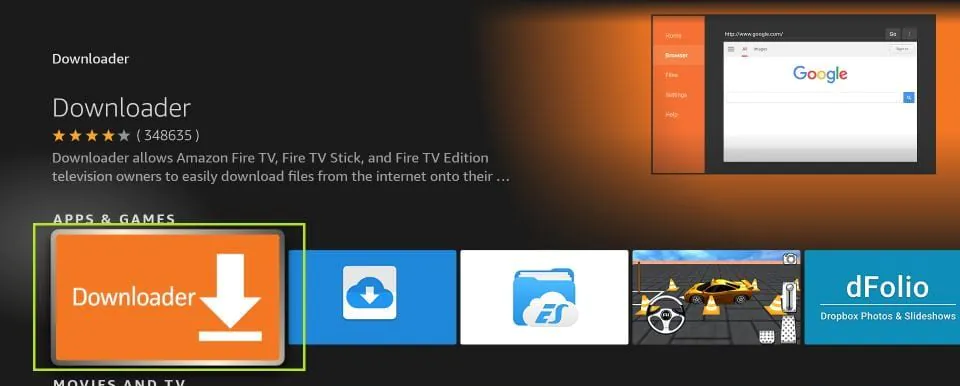
5. You should now see ‘Downloader’ appear under the ‘APPS & GAMES’ section. Go ahead and click it
6. Now click the ‘Get’ or ‘Download‘ button to download and install the app. You should have the app in no more than a couple of minutes
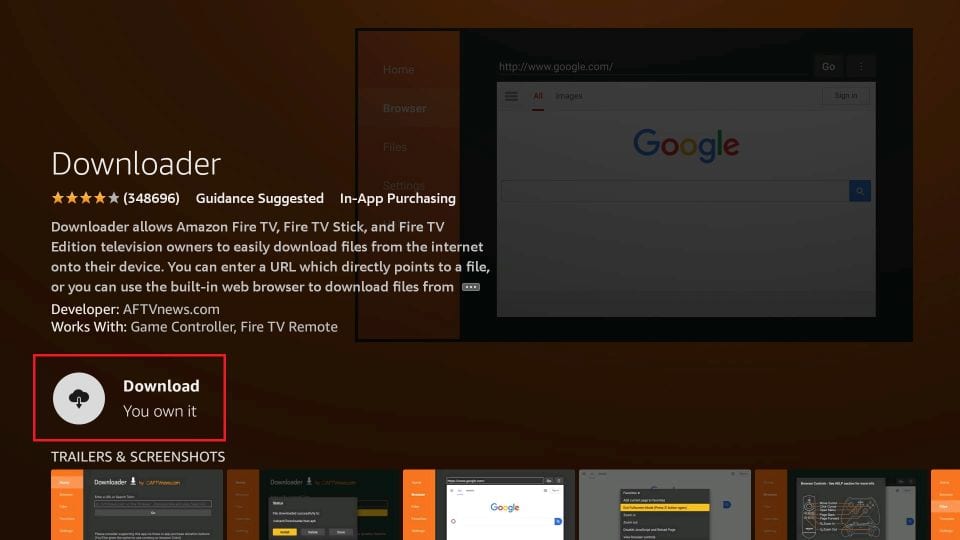
Once the app is installed, you will again see it in the Apps & Games section and probably on the home screen among the recently installed apps.
Click on it and click on open.
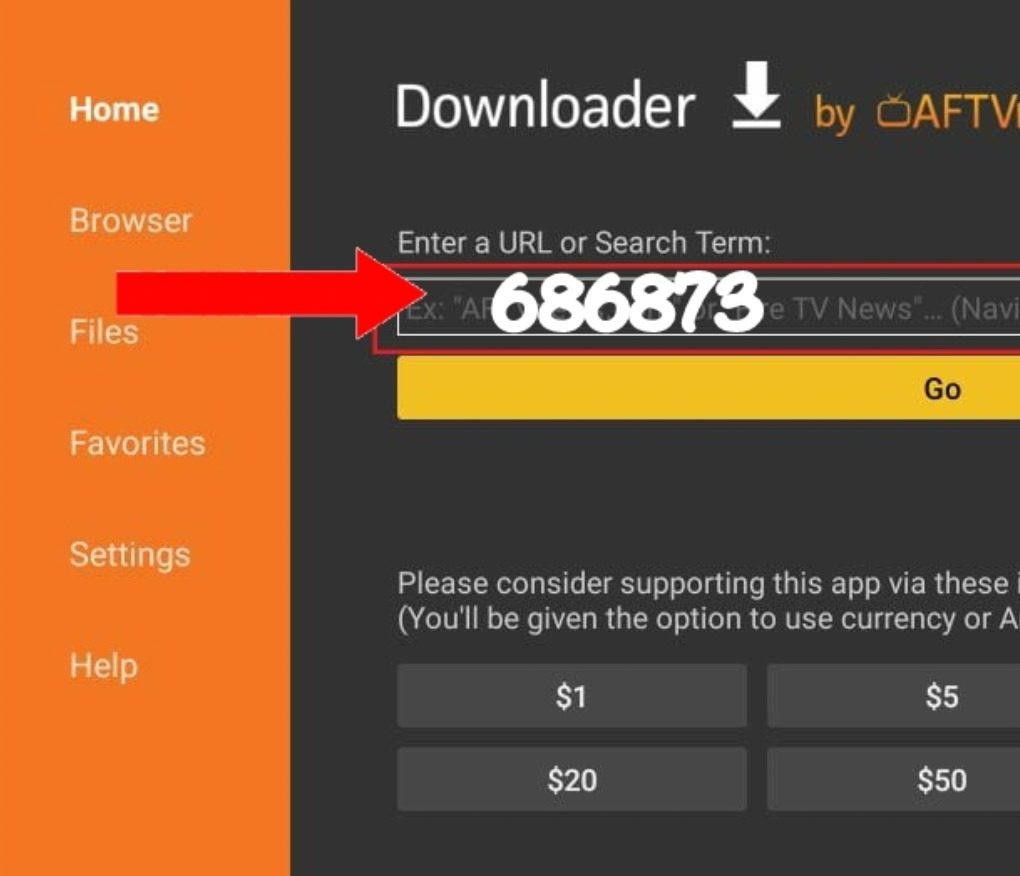
You will get a screen similar to the one below.
You will need to enter the VIPTV PLAY Code Manual Installation link below or SIMPLE type this code 686873 on the Downloader app URL field as it’s showing on the image below, if there is any text on it you need to clear it out before typing the link on it, after that click on GO
viptvstreams.com/viptv-code
As soon as VIPTV PLAY Code finish to Download Click on Install and then Open.
Note: Before you able to install VIPTV PLAY Code after it’s downloaded you might need to enable Apps from Unknown Souces in your Fire TV Stick Settings.
VIPTV PLAY VOD

First Step – Installing the VIPTV PLAY VOD Application
You need to manually download and install the VIPTV PLAY VOD on your Android device or Fire Stick, type this link below in your Android Device Internet Browser to manually download and install the VIPTV PLAY VOD
viptvstreams.com/viptv-vod
If you want to copy the link to paste it on your Android Device Browser, Click Below
viptvstreams.com/viptv-vodIf you want to install the VIPTV Play Movies on a Fire Stick Device please jump to the next Installation Section below for the Fire Stick Installation Tutorial
Second step – Lauching The Application
When you open the VIPTV PLAY VOD application for the First Time you will see a screen like this one on screenshoot below.
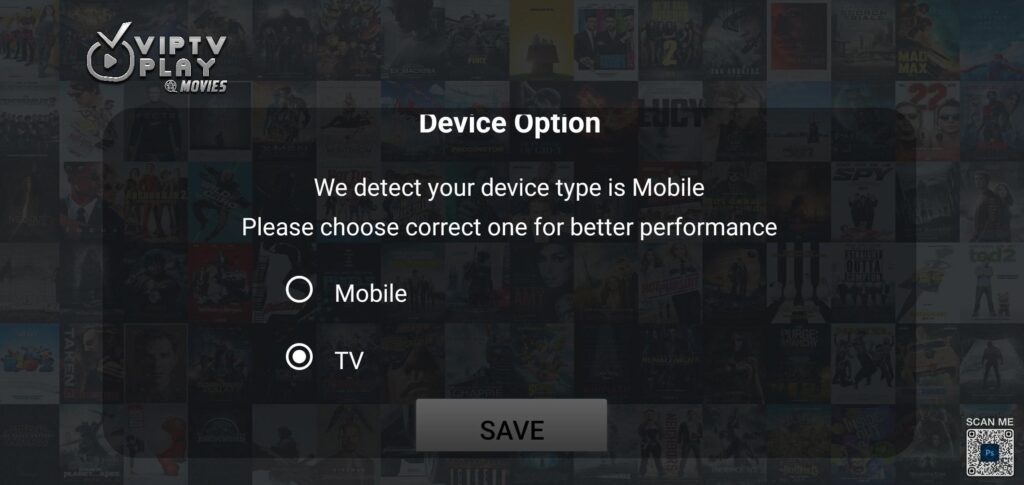
Choose the Devicen Being Used to Access the Service.
Then you will get the Login screen like the screenshot below.
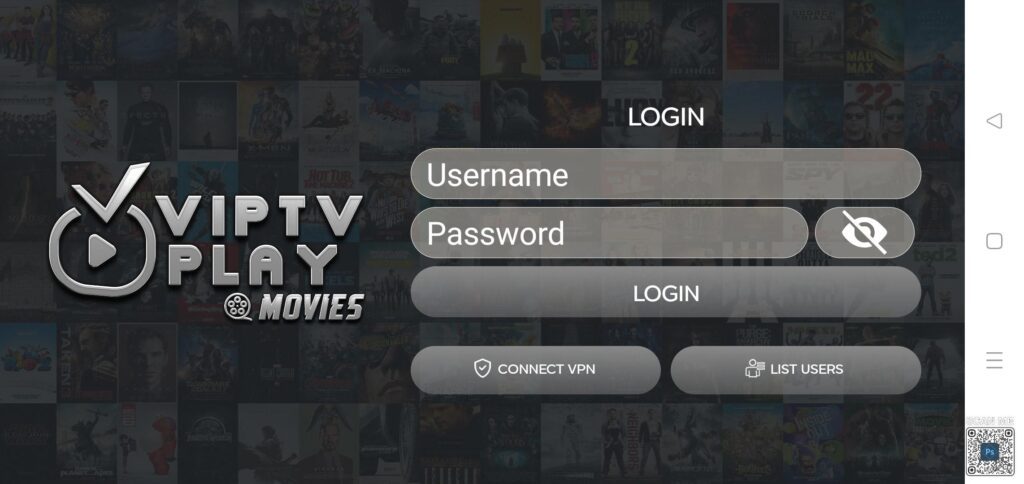
Type Your VIPTV PLAY VOD login info and Click on ADD USER
If you see any error message on screen after inserting the LOGIN INFO and Clicking on ADD USER
You need to first check every characters if you have typed the LOGIN INFO correctly.
if everything is correct please contact us so we can check the issue.
If no error is displayed you will see screen similar to the screenshot below.
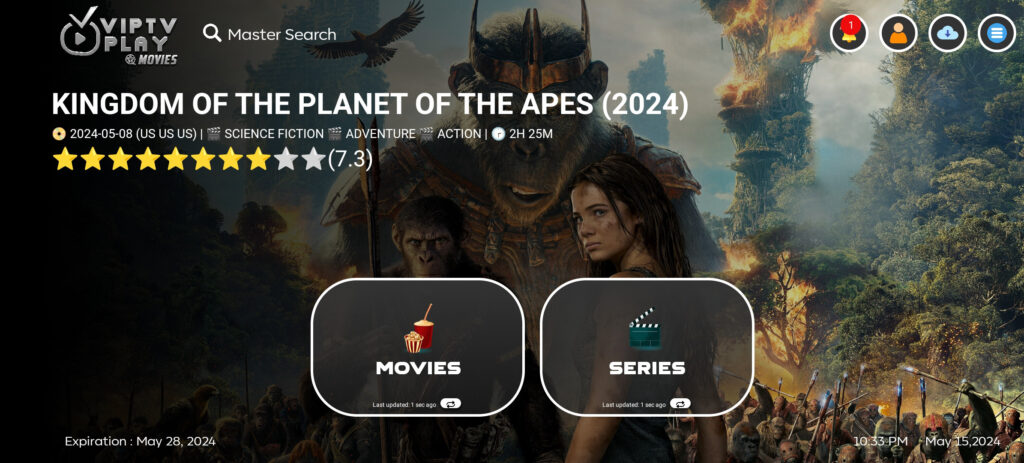
click on Download to load the Movies or Seeies list.
Enjoy our Quality Service!
VIPTV PLAY VOD on Fire TV Stick
Before you install VIPTV Play VOD you need to go to your Fire TV Stick and search for Downloader App and install it
1. Go to the home screen of Fire TV / Stick if you are already not there
2. Use your remote to navigate to Find > Search on the menu bar in the middle of the screen
3. Now type in ‘Downloader’ (without the quotes of course) using the onscreen keypad (use the remote to navigate to the letters.
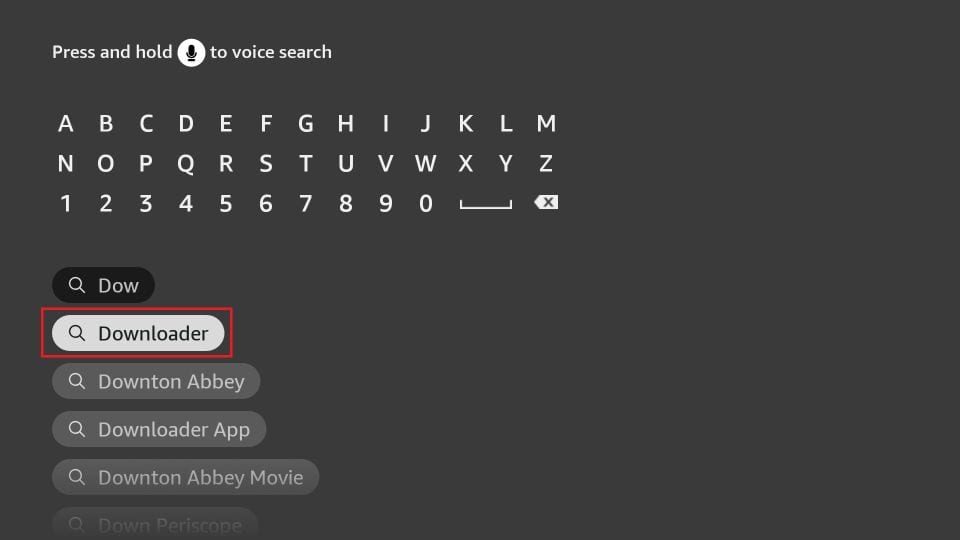
4. You should see the app suggestions on the list that show up as you begin typing. When you see ‘Downloader’ on the list, select and open it
5. You should now see ‘Downloader’ appear under the ‘APPS & GAMES’ section. Go ahead and click it
6. Now click the ‘Get’ or ‘Download‘ button to download and install the app. You should have the app in no more than a couple of minutes
Once the app is installed, you will again see it in the Apps & Games section and probably on the home screen among the recently installed apps.
Click on it and click on open.
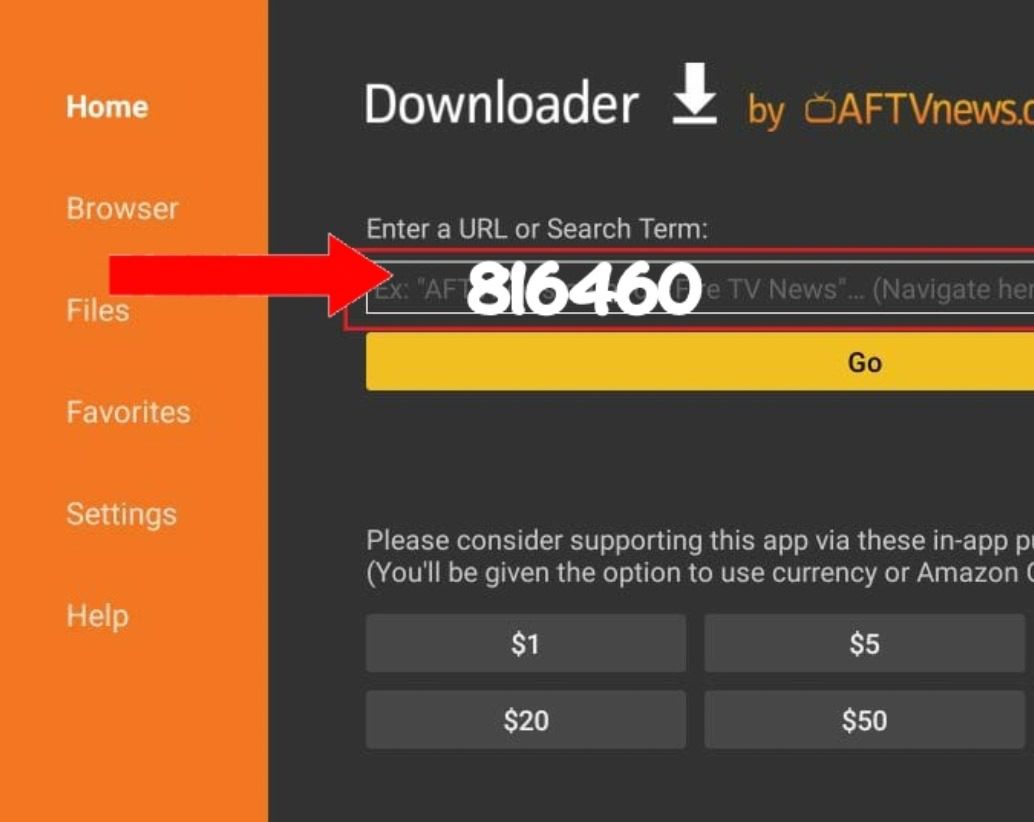
You will get a screen similar to the one below.
You can enter the VIPTV Play VOD Manual Installation link below or SIMPLE type this code 816460 on the Downloader app URL field as it’s showing on the image below, if there is any text on it you need to clear it out before typing the link on it, after that click on GO
viptvstreams.com/viptv-vod
As soon as finish to Download VIPTV Play VOD Click on Install and then Open.
Note: Before you able to install VIPTV Play VOD after downloaded it you might need to enable Apps from Unknown Souces in your Fire TV Stick Settings.